Workflow
Create visuals like a music track.
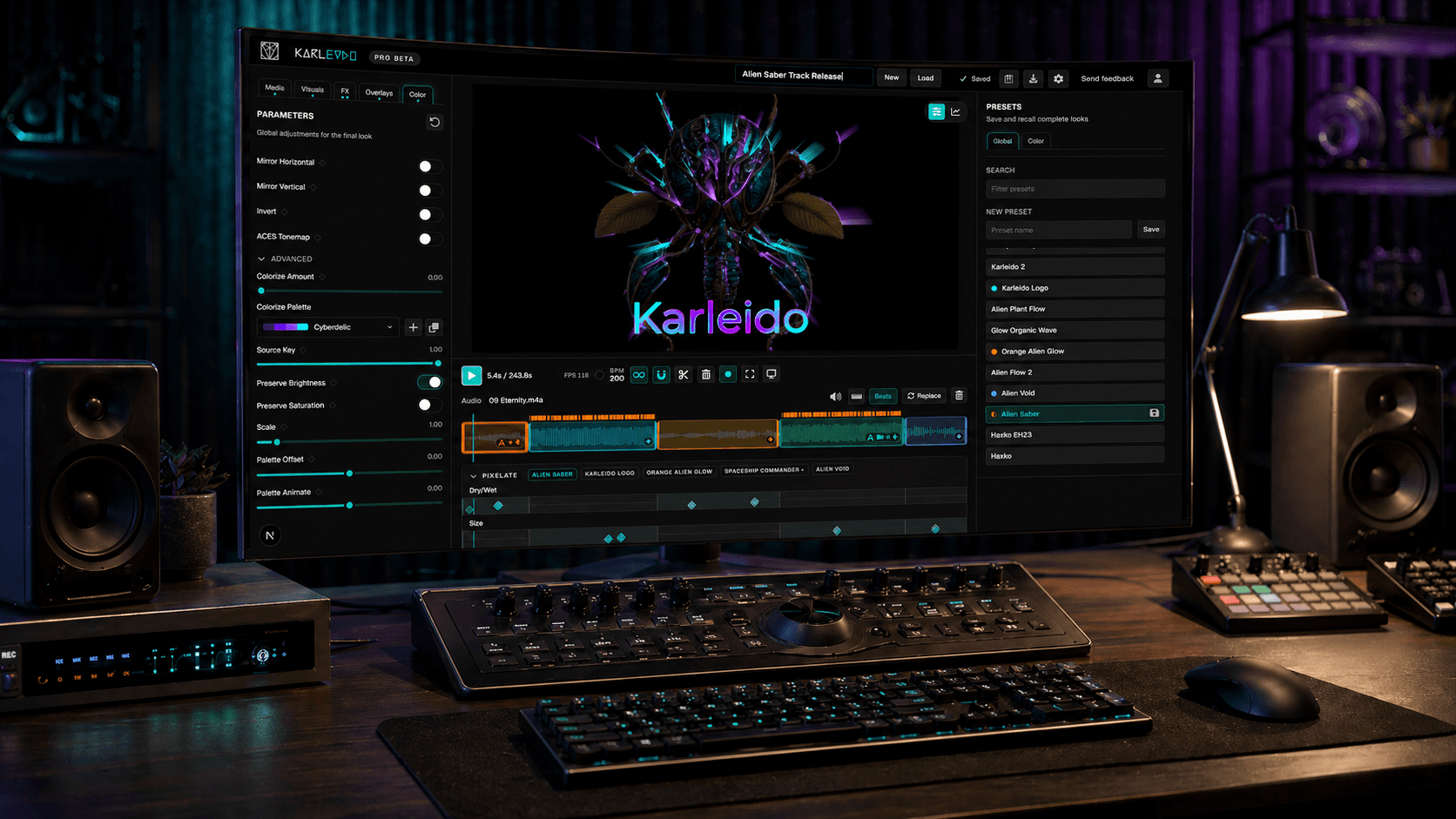
Karleido follows a practical production path: start with a visual synthesizer or media input, shape scenes on the timeline, add effects for more depth, sync motion to music, then export in high quality or perform live.
Create
Pick a visual, image, video, loop, or camera source.
Sync
Use beats and audio assignments to make movement musical.
Record
Capture live parameter moves or keyframe important moments.
Finish
Add animated images, text, video clips, FX, color, and presets.
Build
Move from source material to song sections.
Start with a generative visual or media input, then use clips to give intros, verses, drops, and outros distinct states without leaving one project.
- Upload your track or DJ set
- Choose a visual synthesizer, input media, or camera source
- Split the timeline into sections that match the track
- Create unique visual looks by tweaking or randomizing controls
- Create your personal identity with custom reusable color palettes
- Stack effects from a wide selection like glitch, glow, feedback, and ASCII art
Motion
Animate with audio, MIDI gestures, and image effects.
Use beat-aware timing, audio assignments, keyframes, and recorded controls for broad motion, then add focused techniques for still images and overlays.
- Assign bass, mids, highs, phase, level, or beat signals to any parameter
- Record live moves as editable automation
- Animate your artwork with flow or liquid-fill effects
- Create Saber-style glowing image outlines
Flow Motion
Draw a path to make still images move organically.
Saber Outline
Turn media edges into animated glowing line work.
Media Looks
Use images or camera input as reactive visual material.
Automation
Record expressive control changes, then refine them.
Finish
Turn a working scene into a reusable look.
Layer text, images, video, FX, and color grading over the visual, then save the result as a preset or project for the next clip, release, or set.
- Add title, lyric, logo, image, and video overlays
- Stack FX and final color grading
- Save module, overlay, or global presets
- Prepare visuals for export or live display
Overlay Pass
Add titles, branding, images, and synced videos.
Grade
Tune the final tone after visuals and effects.
Output
Export, capture, or open a live display.
Reuse
Save the look for another clip, track, or set.